
A downloaded film and a stray subtitle file
Hotel room, no connection worth using, a film sitting on the phone in some format nobody has heard of, and a subtitle file next to it with a slightly wrong offset. That’s the scenario MX Player was built for and it’s still the one it wins. The file plays. The subtitles attach. When they run ahead of the dialogue you nudge them back from a menu instead of giving up and watching without.
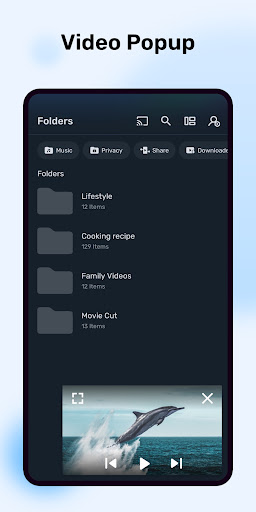
Under the content tab, the player is intact
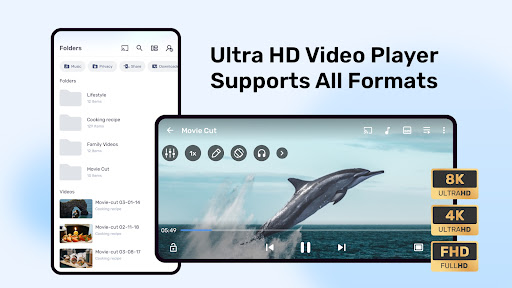
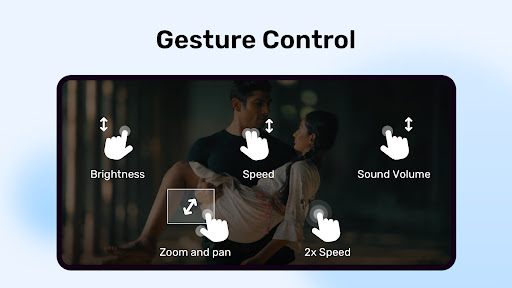
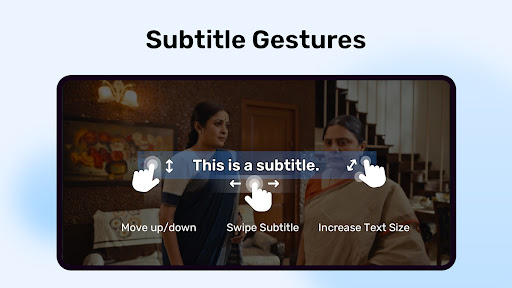
Codec coverage is broad and hardware acceleration is implemented properly, so awkward files play smoothly rather than stuttering, losing audio, or refusing outright. Subtitle handling is the detailed part, and the part that earns loyalty: multiple tracks, timing offsets, font, size and colour, all adjustable while the film keeps running. Multi-track audio behaves correctly, so a file carrying two language tracks lets you choose rather than forcing whichever came first. The gestures are the other quiet pleasure. Brightness on one side, volume on the other, a horizontal drag to scrub, learned during your first film and automatic by the second. Network streams including DLNA make it useful against a media server at home, and playback speed, background audio and a resume point that survives closing the app are all exactly where you’d go looking for them. For playing a file that’s already on your phone, nothing on Android is clearly better than this.
What the streaming layer costs it
Then there’s everything else in the app. Open it to watch that downloaded film and you land first on rows of streaming tiles, news cards and recommendations for material you never asked about, with your own files a tap or two further in. The thing you came for isn’t the thing the app shows you. That inversion is the complaint sitting underneath the score, and it’s a fair one, because a tool that was loved for being focused now spends its opening screen selling something.
The pressure towards the streaming side isn’t subtle either. Prompts, placements and a home layout that treats your local library as a secondary mode all push the same way, and there’s no setting that makes the app forget the content business entirely. You can learn the route to your own files and take it every time, which is what long-term users do, but learning to avoid most of an app is a strange thing to have to recommend.
None of that damages the playback engine, and that’s the saving grace. The codec breadth, the subtitle control and the gestures are exactly as good as their reputation, sitting underneath a front page that has nothing to do with them. Anyone who wants a player with nothing bolted on should take a smaller open-source option and accept a narrower feature set. Anyone who would rather have the best playback on the platform and tolerate the noise around it is in the right place.
From the Play Store listing
These figures come from the official Google Play listing and can change at any time. Check the current listing.
- Play rating
- 4.2 out of 5
- Ratings
- 14,085,594
- Installs
- 1,000,000,000+
- Developer
- Amazon Mobile LLC
- Category
- Video Players & Editors
How those ratings split