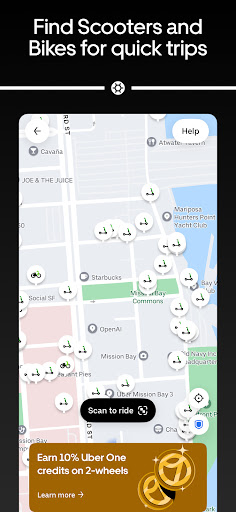
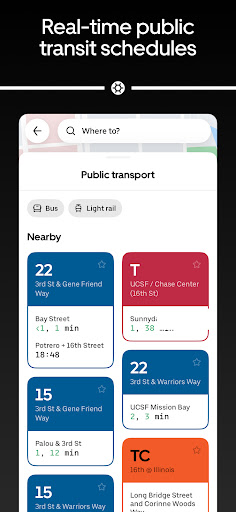
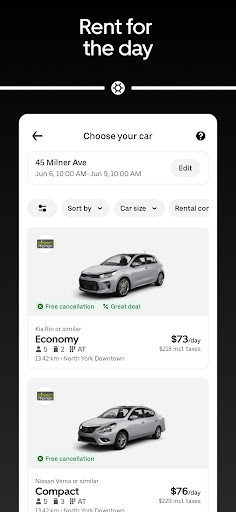
Landing somewhere you have never been
You walk out of an airport at midnight in a city whose language you do not speak, and the app already on your phone simply works. That is Uber’s real advantage, and it is a larger one than any feature on the list. No hunting for whichever local service is the good one, no working out whether the taxi rank outside is a trap, no negotiating a fare through a car window in a language you are guessing at. You type the address and a car comes.
Door to door, and the paperwork after
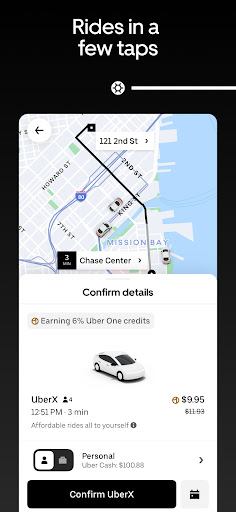
Pick a destination, choose a category and watch the car crawl towards you on the map, with tracking that actually updates and arrival estimates that are usually close to right. The ride types run from the cheap standard option up through roomier and more expensive cars, so the choice between saving money and arriving comfortable is made openly rather than buried in a settings screen. Payment happens on its own at the end, and the receipts and trip history are tidy enough to hand to an employer without editing them first. Sharing your live trip with somebody takes one tap, which is the safety feature people actually use rather than the one they read about. Rides can be booked in advance for an early start, and a second stop can be added mid-journey without cancelling and beginning the whole thing again. Where the service is dense, waits are short and predictable, and the driver feedback and safety controls sit where you can reach them during the journey instead of three menus deep.
Surge, and everything else bolted on
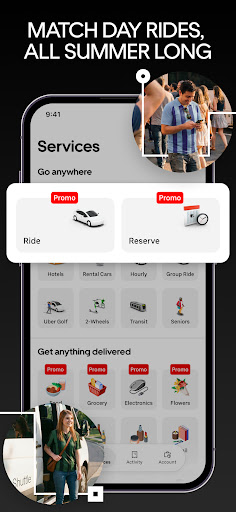
Pricing is the complaint, and it is a fair one. At busy times or in bad weather the fare climbs, and while the app does tell you it has climbed, there is nothing you can do except accept or walk. You cannot say you are in no hurry, set a ceiling and let the app come back to you when the fare drops under it. That missing option irritates people more than the money does, because it is an asymmetry: the service can change what it charges from one moment to the next, and you are handed one lever, yes or no. Cancellation fees land badly for the same reason, arriving on you when the driver is the one running late. The app has also grown sideways, with food delivery and other services stacked into an interface that is opened for exactly one purpose, and every extra tile on that home screen is one more thing standing between you and a car. None of it dents the core service, which is why the judgement stays as high as it does. Getting a ride is more dependable here than almost anywhere else it operates, and the friction that has crept in is friction the app chose to add.
From the Play Store listing
These figures come from the official Google Play listing and can change at any time. Check the current listing.
- Play rating
- 4.7 out of 5
- Ratings
- 18,988,483
- Installs
- 1,000,000,000+
- Developer
- Uber Technologies, Inc.
- Category
- Maps & Navigation
How those ratings split