
Navigation built out of other drivers
Waze runs on the assumption that the people already out on the road know more about it than any map can. Their taps become your route. That is why it feels sharpest crossing a city at rush hour and much vaguer on a quiet road late at night, and why it is honest to call it a traffic tool first and a map second.
What a drive with it running feels like
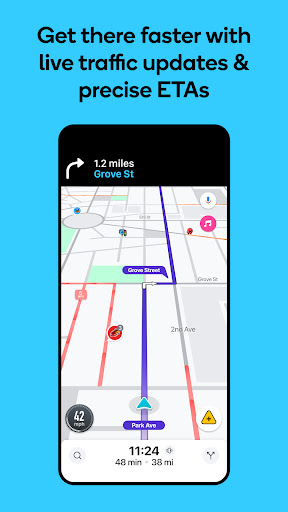
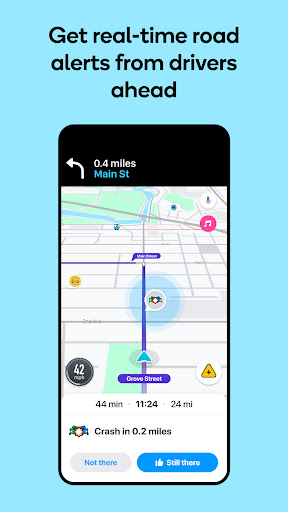
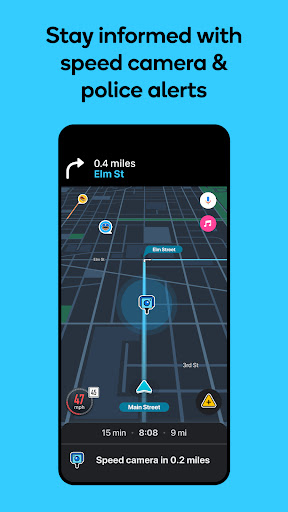
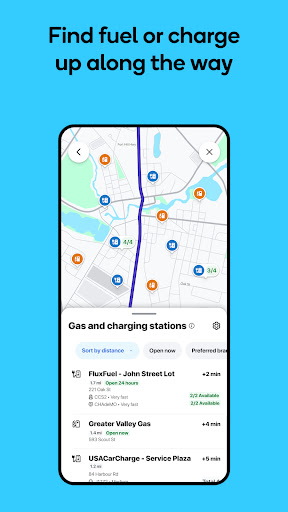
Routing reacts to conditions rather than to a schedule, so a queue that built up while you were still parked changes the turn it gives you now. Driver reports cover police, collisions, debris and potholes, and where enough people are contributing they land accurately often enough to act on. Commute scheduling learns the journeys you repeat and tells you when to leave, and the arrival time moves as the road moves instead of holding onto a comforting fiction. Alternatives are offered with the difference spelled out rather than swapped in silently, so you can weigh a shortcut through back streets against the road you actually know. Voice guidance is clear. Filing a report yourself takes a single tap, which is the only reason anybody manages to do it while driving. Fuel prices along the route and lane guidance at awkward junctions are small touches that earn their keep on a drive you already know by heart.
The thing that decides where it belongs
Everything good here scales with how many people nearby are running the same app, and that cuts both ways. Take the phone out to a thinly travelled rural route and the reports dry up, the clever rerouting has nothing to work with, and you are left holding a busier, more cluttered screen than the general-purpose map already on your phone would have given you. That is the honest ceiling on the score. The map style carries more decoration than a driver glancing down wants to read, and the default settings hand over your position freely, so the location menu deserves a visit before this becomes your everyday navigation.
Excellent in traffic, beside the point without it
City commuters will feel the difference on a bad morning and should keep it on the home screen. If your driving is mostly open road, the ordinary map does more for you with less noise. Either way, go through the location settings first. The Play listing sets out what it collects.
From the Play Store listing
These figures come from the official Google Play listing and can change at any time. Check the current listing.
- Play rating
- 4.2 out of 5
- Ratings
- 8,896,257
- Installs
- 500,000,000+
- Developer
- Waze
- Category
- Maps & Navigation
How those ratings split