

A meeting app with a suite attached
Zoom got where it is by doing one thing dependably, and the phone version inherited that reliability intact. The Workplace half of the name signals a much wider ambition, and how you feel about the app now rests almost entirely on whether you wanted a meeting tool or a collaboration platform.
Sound first, because sound is the meeting
Audio is the thing it gets right, holding steady across varied network conditions, and that matters more than the picture. A call with broken sound is finished. A call with a frozen face carries on regardless. Mute, speaker and headphone switching are one tap each, which is the etiquette layer of any call and the easiest thing to fumble. Dialling in over the phone network is still there as a fallback for anyone whose connection has given up completely.
Running one from a handset
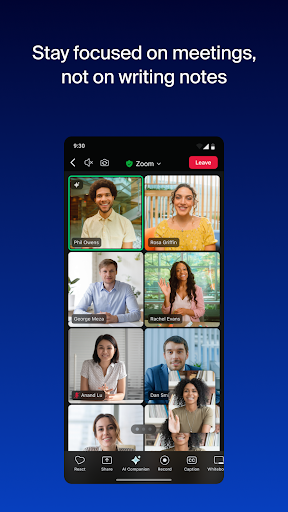
Screen sharing works properly from a phone rather than being a checkbox that technically exists. Breakout rooms function on mobile in a way rivals still fumble. Chat, reactions and hand-raising are where you expect to find them, and the in-call controls are reachable without hunting while a room of people waits for you. Recordings, captions and switching between camera and shared screen behave the way they do on a computer, so nobody has to learn a second version of the app for the small screen. Moving from phone to laptop part way through a call is handled without dropping you out of the room.
The guest who has never used it before
Joining from a link needs no account, and that is a bigger deal than it sounds. Most meeting software is fine among colleagues who share a system. This one works when half the room has never opened it before, which is the entire argument for external meetings, client calls, and the relative who will only ever press one button. Typing an ID and passcode off a printed agenda is still fiddlier than it should be, but hardly anybody has to.
What the extra tabs cost
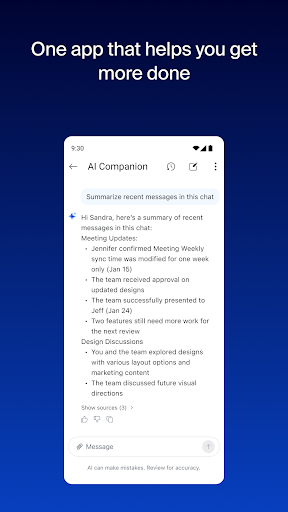
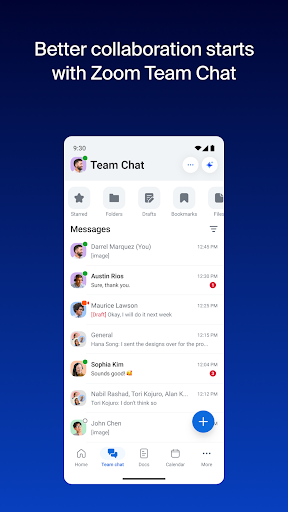
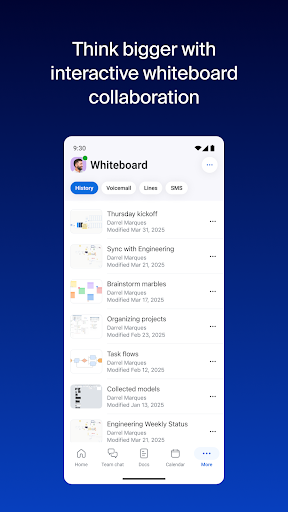
Weight is the complaint that shapes the score. The home screen now carries persistent chat, whiteboards, documents and AI summarising, and on a phone almost all of it is scenery. You opened the app because a call starts any second, and there is more standing between you and the join button than there used to be. Background effects and the AI surfaces work adequately on good hardware but come apart on mid-range Android, so the tidy blurred background from your laptop smears around your shoulders here. None of it has broken the core, which is the saving grace.
Still the safest choice for a call
For business meetings, especially any involving people outside your own organisation, this is the most reliable option on Android, and the audio quality alone carries it. Ignore the extra surfaces and it behaves like the plain tool it always was. The score is a compromise between that core, which deserves better, and everything now stacked on top of it.
From the Play Store listing
These figures come from the official Google Play listing and can change at any time. Check the current listing.
- Play rating
- 4.1 out of 5
- Ratings
- 4,569,110
- Installs
- 1,000,000,000+
- Developer
- zoom.com
- Category
- Business
How those ratings split