


The call nobody had to plan
Which video app do you open when nobody agreed on one? On Android it’s usually this one, partly because it’s already sitting there and partly because the other person doesn’t need an account to answer. Meet serves two crowds from a single screen: people ringing family, and people joining a work meeting that appeared in their calendar. Everything good and everything awkward about it comes out of that split.
Calls that survive a wobbly signal
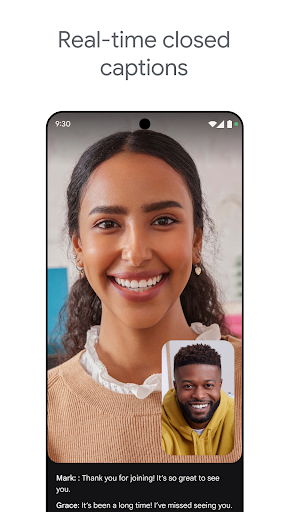
Audio and video stay usable as the connection sags, which is the one thing that really matters and the thing plenty of rivals get wrong. Grid view copes with a crowded call without shrinking everyone to postage stamps. Noise suppression is useful rather than a demo, particularly in a room where other people are talking. Live captions keep pace with a fast conversation, which helps in a loud place and helps more if you’re hard of hearing.
Scheduling that does the boring part
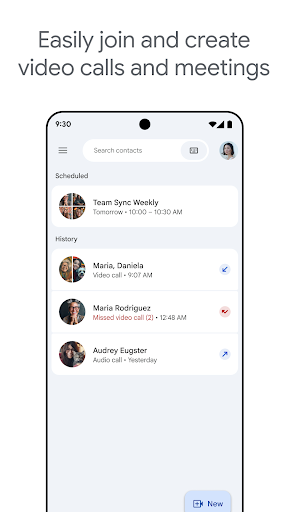
A meeting created in Calendar arrives with a working link attached to it. Tapping that link from a Gmail invitation drops you into the call with no sign-in detour and no code to read out. One-to-one calls run without a cap, which covers most personal use at no cost in a category that usually squeezes free users hard. Screen sharing takes a tap and survives being on a phone, so showing somebody a form they’re stuck on works about as well as it would from a desk. A Workspace subscription adds recording and longer sessions, which matters at work and is beside the point for a call home.
Where the two audiences collide
Group calls on the free tier stop at sixty minutes. In practice a family catch-up gets cut off mid-sentence, everyone rejoins, and somebody suggests moving to a different app next time, which is the most common way people drift off it. The hour is plenty for a stand-up and awkward for the calls that were going well.
Settings compound that, with controls arranged the way Google’s workplace software arranges them sitting next to the mute button. On Android this is still the sensible default for free calling, and the reliability is the reason to stay on it.
From the Play Store listing
These figures come from the official Google Play listing and can change at any time. Check the current listing.
- Play rating
- 4.4 out of 5
- Ratings
- 11,885,903
- Installs
- 10,000,000,000+
- Developer
- Google LLC
- Category
- Communication
How those ratings split