
Why is the phone full again?
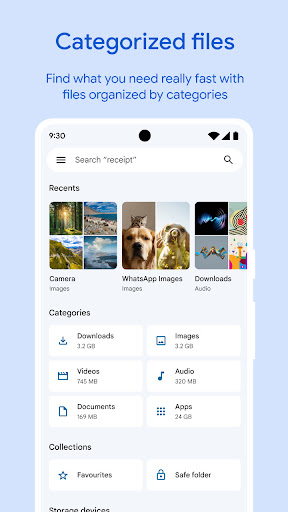
That is the question this app exists to answer, and it answers it on the first screen rather than making you go looking. Google keeps the scope deliberately narrow: show what is eating the storage, make removing it easy, and move files between two phones sitting next to each other. Nothing else. It fits the person whose phone fills up faster than they can explain, and it never pretends to be the sort of file manager a technical user keeps open on a desktop.
Clearing the junk
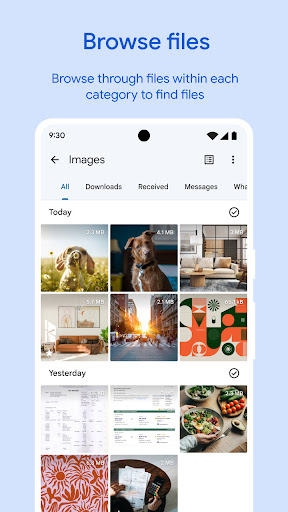
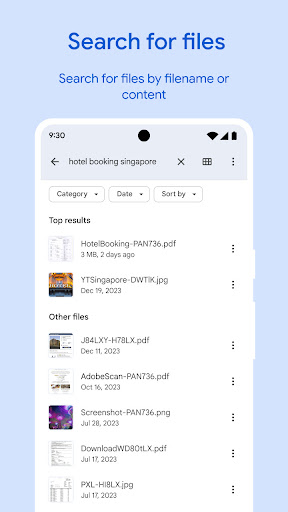
The opening view is a stack of suggestions: oversized files, downloads forgotten the day they were saved, screenshots piling up, caches nobody asked for. Duplicate detection catches the same photograph saved several times over and does it without crying wolf. Browsing by category, images, video, documents, gets you to a file faster than remembering which folder it went into. The junk mail folder equivalent, those app caches and leftover downloads, refills constantly, so this turns into a quick recurring chore rather than a project you keep postponing.
Handing a file to the person next to you
Offline transfer is the other half of the app and the more underrated one. Large files move between Android devices at speed without touching mobile data, which is the easiest way to give somebody a video without a chat app squeezing the life out of it first. No account, no upload, no waiting for a cloud link to finish.
Why it gets recommended by default
Nothing free clears space this cleanly. The storage breakdown is legible instead of a wall of figures, the deletion suggestions are sensible rather than pushy, and a non technical user can go from a full phone to plenty of room again without asking anyone for help. The interface stays calm throughout and never tries to sell you anything.
Where the narrow scope bites
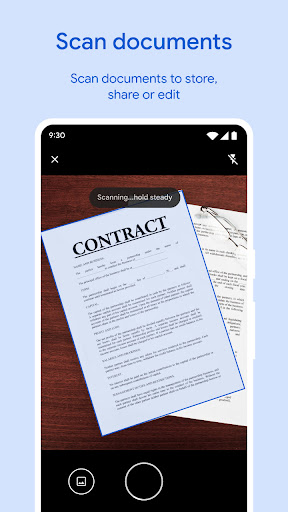
It is not a power tool and has never claimed to be. Deep folder work, batch operations on files that are not media, network shares: all outside the brief, so anyone organising a real directory tree will want a second app alongside this one. The media player handles a quick look and nothing beyond that. And it is Google software, so your file activity sits inside that relationship, which is worth a thought even though the permissions it asks for stay modest for the category. None of those gaps hurt the job it actually does, which is why it still lands near the top of its category.
From the Play Store listing
These figures come from the official Google Play listing and can change at any time. Check the current listing.
- Play rating
- 4.5 out of 5
- Ratings
- 8,926,785
- Installs
- 5,000,000,000+
- Developer
- Google LLC
- Category
- Tools
How those ratings split