A phrasebook that fits in a pocket
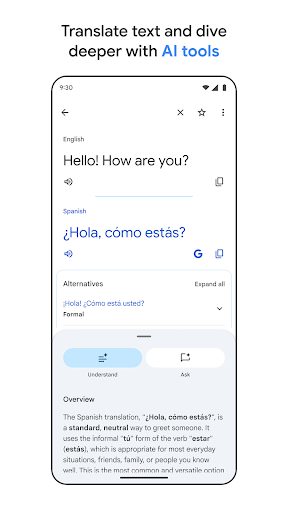
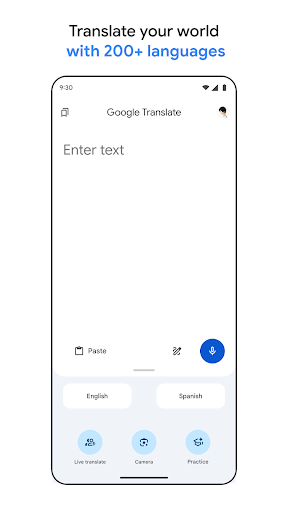
Translate covers more than a hundred languages, which makes it the closest thing to a universal phrasebook anyone has put on a phone. The people who get most from it are travellers, anyone living somewhere they don’t yet speak the language, families who run on two languages at once, and the person holding a letter written in an alphabet they can’t read.
Point the camera, or just talk
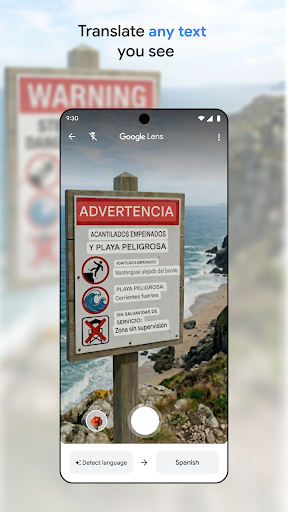
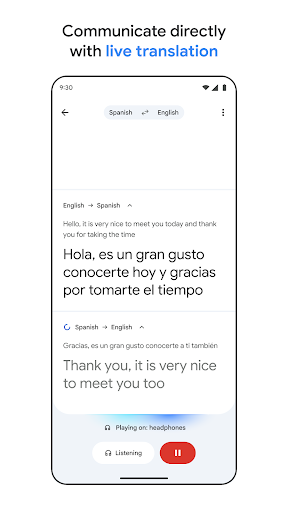
Camera mode is the one people remember. Hold the phone over a menu, a street sign or a packet of something in a supermarket and the translated words sit on top of the original, redrawing as your hand moves. Conversation mode takes the spoken version of the same problem, listening to one side and speaking the other’s words back, and on common pairs it keeps a real exchange going instead of collapsing into single words. Handwriting input covers the cases where you can’t type the script at all, which is most cases if the script isn’t yours.
Offline packs change the arithmetic
Pulling down the languages you need before a trip removes the dependency that used to make this useless at exactly the moment you needed it. No signal in the arrivals hall, no roaming anxiety, no hunting for a network before you can read a departure board. Saved phrases sit alongside, so the sentence you had to construct at the pharmacy is still there the next day.
Where the output can be trusted
The big pairs, Spanish, French, German, Japanese, Chinese, come out contextually right far more often than not. That’s enough to order food, follow a notice, ask directions and understand the answer. Combined with the packs and the camera it’s the most practical thing you can carry across a border, and none of it costs anything.
Fluent and quietly wrong
Accuracy falls away for languages with less material behind them, and that failure mode is the reason this doesn’t score higher. The output never sounds uncertain. A sentence comes back reading smoothly while having lost the negation, the register or the whole point of the original, and nothing on screen separates a good translation from a merely plausible one. You’d need to read the source to catch it, and if you could read the source you wouldn’t be here. Handwriting on less common scripts is the smaller of the remaining weak spots.
Excellent for getting by
Use it to be understood in a shop, a station or a taxi and it’s hard to fault. Use it where a misunderstanding has consequences, anything legal, medical or contractual, and have someone who actually speaks the language check the result before you act on it. The Play listing sets out which packs work without a connection.
From the Play Store listing
These figures come from the official Google Play listing and can change at any time. Check the current listing.
- Play rating
- 4.3 out of 5
- Ratings
- 9,041,371
- Installs
- 1,000,000,000+
- Developer
- Google LLC
- Category
- Tools
How those ratings split