
A decade of pictures, and no filing
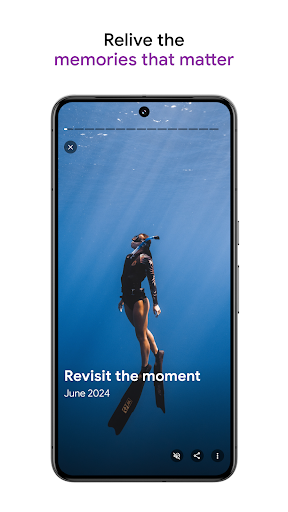
Where does a decade of pictures actually live? For an enormous number of people the answer is this app, and it got there on one promise: you never have to organise anything for it to be findable later. The promise is mostly kept. Backup runs quietly, new pictures go up without being asked twice, and the phone’s own gallery becomes a thing you stop thinking about.
Search is the feature, storage is the container
Type a word, a place, a person or a kind of object and the right photographs come back from years ago, usually before you’ve finished blinking. Faces get grouped across a huge library with no tagging from you at all. It only lands as remarkable after you’ve spent an evening hunting for one picture of a particular dog through folders on a laptop.
Handing an album to other people
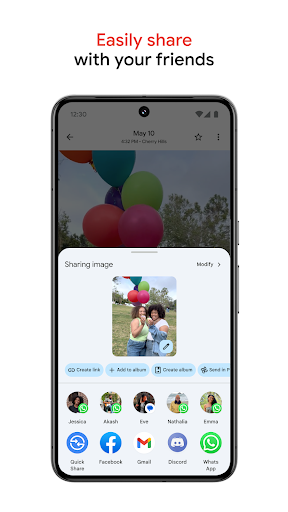
An album can be opened up so several people add their own pictures to the same holiday, and it works across Android and iOS, so the friend with an iPhone isn’t a problem you have to solve. Sending a link beats attaching files to an email, and the person opening it doesn’t need an account of their own to look. Shared libraries between two people, where every new picture of the children lands in both places automatically, is the version of this that families settle into and then never think about again.
Editing that does real work
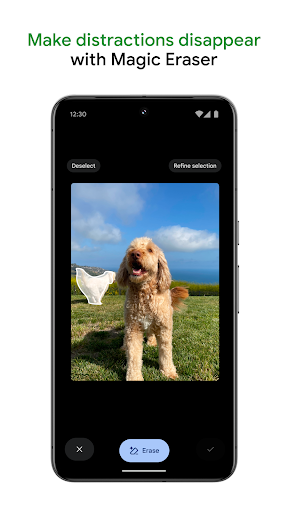
Adjustments, portrait blur and video stabilisation are all stronger than a library app strictly needs. Magic Eraser and Photo Unblur, on Pixel hardware or through a paid plan, do proper work rather than showing off. Taking a stranger out of the background of an otherwise good photograph is something people actually want done.
The 2021 bill, still arriving
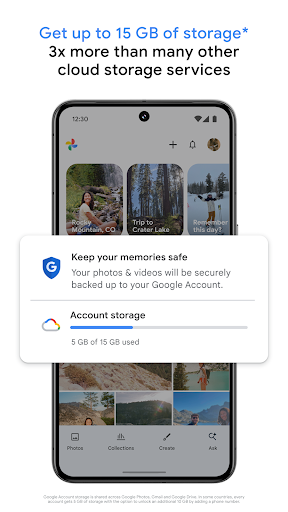
Free uploads at original quality ended in 2021, and the consequences are why this isn’t a clean recommendation. Anyone with a library from before that change lives with a split: the older pictures sit outside the quota, everything since counts against it, and the app is poor at showing you which is which on the day you’re trying to clear space. The allowance is shared with Drive and Gmail too, so a mailbox stuffed with attachments quietly eats the room your photographs needed, and the first warning tends to land while you’re backing up a wedding.
Some of the better tools also sit behind a Pixel or a subscription. None of that unseats it. Nothing else handles a large photo library this well, and the search alone justifies staying, as long as you accept that staying now has a running cost.
From the Play Store listing
These figures come from the official Google Play listing and can change at any time. Check the current listing.
- Play rating
- 4.4 out of 5
- Ratings
- 53,763,978
- Installs
- 10,000,000,000+
- Developer
- Google LLC
- Category
- Photography
How those ratings split