When the contract arrives on the train
You’re on a train, a signed lease lands in your inbox as a PDF, and the preview pane turns it into grey mush. That’s the moment this app exists for. Adobe wrote the format, and Acrobat Reader is still the reference point for opening one properly on a phone: embedded fonts, layered graphics and awkward multi-column layouts come out looking the way the author built them, which is not something every Android reader manages. Scanned pages stay legible when you zoom in rather than dissolving into artefacts.
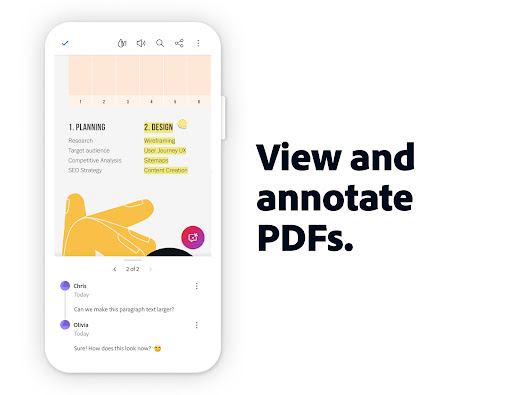
From there it covers the rest of the job. Text reflow makes dense pages readable on a small screen. Page navigation stays quick in long documents. Highlighting, comments and freehand marks survive the round trip, so the file you send back is still annotated when it opens on someone’s desktop.
Forms, signatures and closing the loop
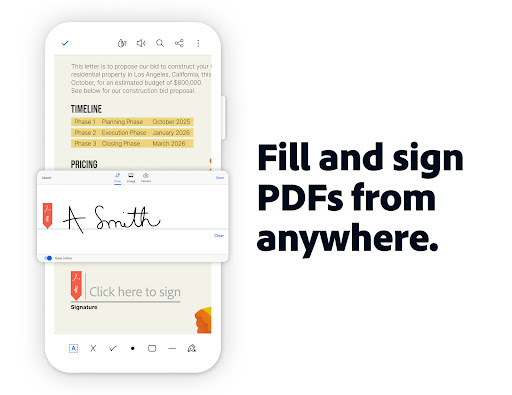
Form filling is the part that quietly matters. Interactive fields behave like fields, taking your text into the boxes rather than stamping it on top of the page and hoping for the best, and that difference is what stops a returned form looking like a ransom note. The signature flow handles both ends of the formality scale, a quick scrawl for a delivery docket and the more rigorous kind for something that goes into a legal file.
Put those together and you have the full path from receiving a document to sending it back approved, without touching a laptop. That completeness is why so many workplaces end up standardised on it despite nobody remembering a decision to standardise.
The paywall you meet halfway through
The catch is where Adobe has drawn its line. The listing says Edit PDF, and yet editing the text inside one sits on the paid tier, along with combining files and exporting to Word. So the honest shape of the experience is this: everything up to the point where you want to change a word is free, and the moment you actually need to change that word you meet a subscription pitch. If you only read, mark up and sign, you never cross that line at all. If you edit regularly, it’s a real commitment, and at the expensive end of productivity software.
Two smaller irritations sit behind it. Adobe’s cloud is pushed hard enough that reaching a file already sitting on your own device takes more taps than it should, and the app is bulky, slower to open on an older handset than a stripped back reader would be.
As a free reader, annotator and signer it’s still the safest pick on Android, and plenty of readers never need anything more. If you do need more, weigh up whether it has to be Adobe. The Play listing below carries the current plan breakdown.
From the Play Store listing
These figures come from the official Google Play listing and can change at any time. Check the current listing.
- Play rating
- 4.5 out of 5
- Ratings
- 7,683,383
- Installs
- 500,000,000+
- Developer
- Adobe
- Category
- Productivity
How those ratings split



