A train, a folder and a file you pinned
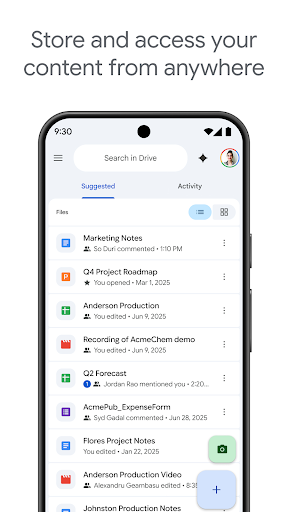
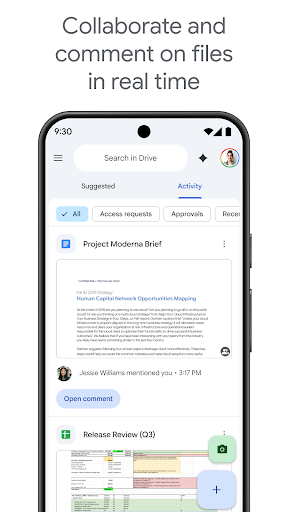
Somebody sends you a folder an hour before you get on a train. You open Drive, long-press the file, pin it for offline use, and read the thing underground with no signal at all. That small sequence is most of what Drive is for, and it’s why the app sits underneath nearly everything else Google makes. Documents open out of it, photographs land beside it, shared folders arrive in it. Nobody picks it the way they pick a camera app. They end up with it because their work or their family already lives here.
Storing, sharing and a camera that reads paper
Uploading, organising and sharing behave the way you’d expect, and permissions are easier to reason about here than in most workplace storage tools. You can see who holds a link, drop it back to view-only, and stop worrying about it. Offline pinning is dependable rather than clever, which is the right quality for a feature you lean on when the signal goes. Starred items and the recent list cover the shortcuts people reach for without thinking, and a file somebody drops into a shared folder shows up on the phone without anyone sending a message about it.
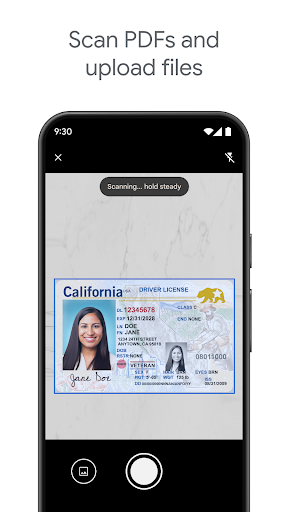
The scanner is the part worth talking about. Point the camera at a paper letter and it finds the edges, straightens the perspective and reads the text, so a receipt or a signed form becomes something searchable instead of a skewed photograph pretending to be a document. It hides behind a plus button, it costs nothing, and it removes the reason to keep a separate scanning app on the phone. The free allowance covers ordinary personal use, though it is shared with the rest of your Google account.
Where it drags its feet
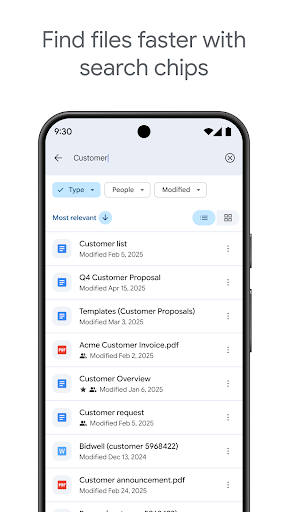
Search is the weak point, which is an odd thing to write about a Google product. Finding one contract inside a large shared drive depends almost entirely on remembering how a colleague chose to name it. Type a phrase you are certain appears inside the document and unrelated spreadsheets surface ahead of it. Filters by owner or file type sit far enough out of the way that plenty of people give up and scroll instead, and the folder tree somebody else built is rarely the tree you would have built.
Two smaller irritations stack on top. Opening a document means waiting for Drive and then waiting for the editor, a double pause you notice next to a native app, and the nudges toward a bigger storage plan have grown more insistent.
Competent, essential, unexciting. Keep it for the scanner and the sharing, do your finding by remembering where you put things, and check the current storage tiers on the Play listing before you trust it with a decade of files.
From the Play Store listing
These figures come from the official Google Play listing and can change at any time. Check the current listing.
- Play rating
- 4.3 out of 5
- Ratings
- 10,780,921
- Installs
- 10,000,000,000+
- Developer
- Google LLC
- Category
- Productivity
How those ratings split