A dentist appointment, typed on the way out
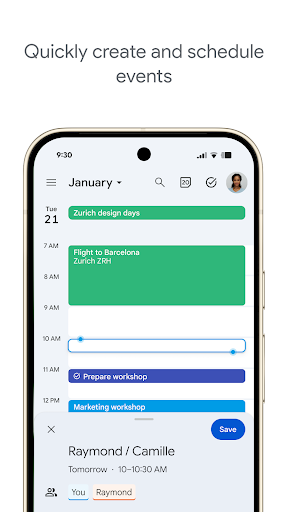
You are leaving the dentist with a card in your hand, you open the calendar, type dentist next Thursday at half nine, and the fields fill themselves in. No date picker, no scrolling wheel, no second thought. That small competence is a large part of why the app sticks on phones that came with it.
Getting things into it
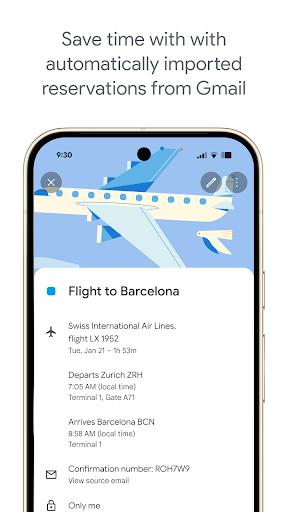
Natural language parsing is the headline and it holds up on ordinary phrasing rather than only on the examples in the help page. Beyond typing, confirmation emails turn into entries on their own: flights, hotels and restaurant bookings appear in the right slot without you touching anything, so a trip assembles itself while you are busy elsewhere.
Reading a week at a glance
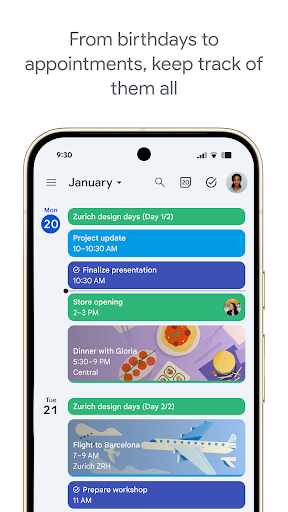
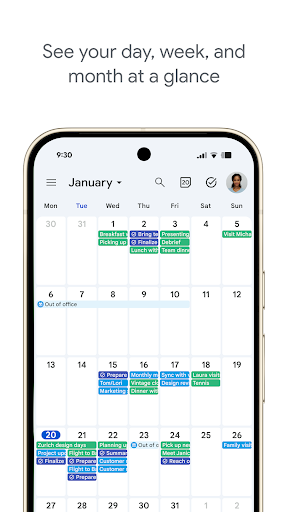
Switching between day, week and month is quick, and the month view stays readable instead of collapsing into a grid of coloured blocks. Home screen widgets put the next items where you see them without opening anything. Shared calendars and invitations behave the way you expect, which sounds like a low bar until you have used something that does not. Colour coding across several calendars stays legible on a phone screen, and search will find an event you half remember from a fragment of its title.
The part that quietly matters
Sync and notifications. An alert that fires on the right device at the right moment is the foundation everything above it depends on, and this gets it right so consistently that you stop noticing there was ever a risk. That steadiness is most of the reason the score sits high, because the clever parsing would be worthless on top of a calendar you could not trust.
Where the Google first assumptions chafe
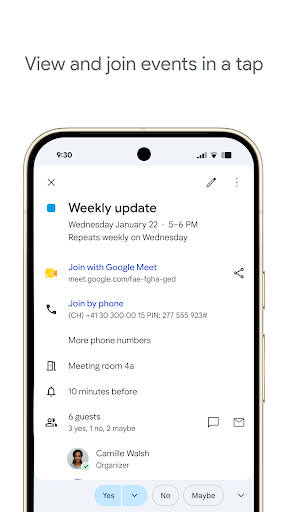
Meet is woven through the event screens whether or not your meetings happen there, which for anyone on another video platform means stepping around a button they will never press, every single time they set up a meeting. It is a small thing repeated daily, and the repetition is what makes it wear on you rather than pass unnoticed.
Calendars from other providers tell the same story. They do sync, but they lag, and CalDAV accounts have needed workarounds to settle down properly, so a life deliberately spread across services pays a little tax every day instead of once at setup.
Close to ideal inside the ecosystem
Run your working life through Google and there is very little reason to shop around, because the daily overhead of keeping a calendar drops close to nothing here. Spread across providers on purpose and you should expect small irritations rather than a single blocker, plus a separate app for your to do list, since task handling here has always been the afterthought. Neither caveat moves the judgement much. The core loop, capturing an event and trusting the alert, is handled about as well as Android allows. This is the calendar to beat, and nothing has beaten it yet.
From the Play Store listing
These figures come from the official Google Play listing and can change at any time. Check the current listing.
- Play rating
- 4.7 out of 5
- Ratings
- 4,626,752
- Installs
- 5,000,000,000+
- Developer
- Google LLC
- Category
- Productivity
How those ratings split



