
Three accounts, one thumb
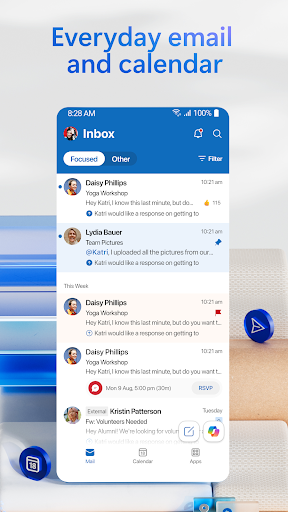
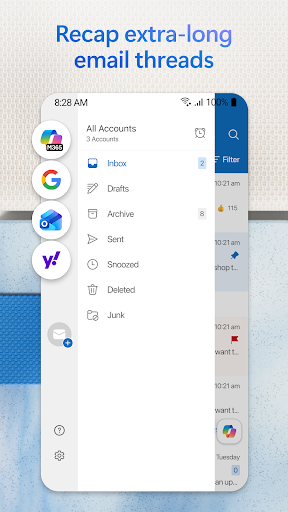
Standing on a platform with the phone out, checking whether the meeting moved: work mail, personal mail and the diary all wanted before the train pulls in. Outlook is built for that exact scramble, and it handles it.
The diary next to the mail
Seeing a meeting alongside the thread that created it saves a constant hop between two apps. Booking one straight from a message, with the right people already attached, is a small saving that repeats all week.
Focused Inbox, once it has learned
The split between mail that matters and everything else is unimpressive on the first day and quietly good later, after it has watched what you open and what you swipe away without reading. Snooze, swipe actions and scheduled send all behave the way you would expect, and attachments hand off to the matching Office app cleanly.
The cold start
Here is the cost, and it’s the thing keeping the score where it is. Tap the icon after the app has been shut for a while and there’s a pause before anything is readable, long enough that you look up, then back down again. Search has the same character. It works, it finds the right message, it just isn’t fast enough for anyone who lives in a mailbox and expects results while they’re still typing. Background battery use is noticeable too, on a handset that was already going to be thirsty by evening.
Bulk you didn’t ask for
Teams prompts and other Microsoft 365 nudges have piled up in the interface, crowding the space around the actual mail. None of it stops you reading a message, but on a small screen every promoted panel is space the inbox used to have.
Consolidation, and what it’s worth
Several accounts and a Microsoft workplace where the calendar runs the day? The trade is worth making, and the diary integration carries the decision on its own. One personal address and no patience for waiting? A lighter client will open quicker and leave more battery behind. That’s the whole of it.
From the Play Store listing
These figures come from the official Google Play listing and can change at any time. Check the current listing.
- Play rating
- 4.3 out of 5
- Ratings
- 10,566,556
- Installs
- 1,000,000,000+
- Developer
- Microsoft Corporation
- Category
- Productivity
How those ratings split



