
A note before the thought escapes
What do you do with a thought you’re about to lose? You write it down before it goes, and Keep is built around that one moment and nothing else. Open, type, done, with no folder to choose and no file to name. Shopping lists, half-formed ideas, the thing somebody said on the phone while you were driving. Anything that needs structure belongs somewhere else, and the app makes no effort to hide it.
Capture, colour, remind
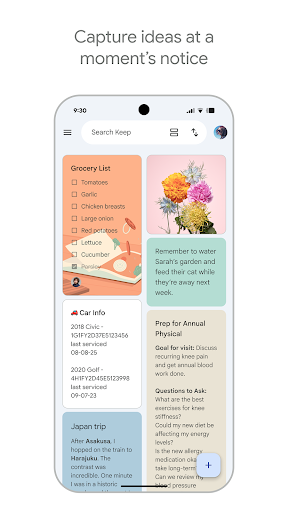
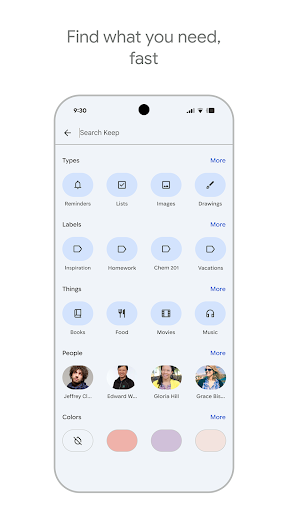
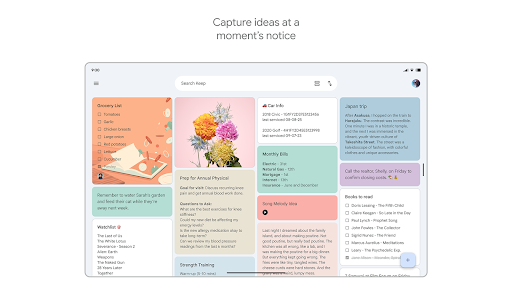
Speed is the whole design. It opens straight into a new note, dictation sits on the same screen, and the widget puts capture on the home screen so you never reach the app drawer at all. Colours and labels give just enough sorting to find things again without becoming a system you have to maintain on a Sunday evening.
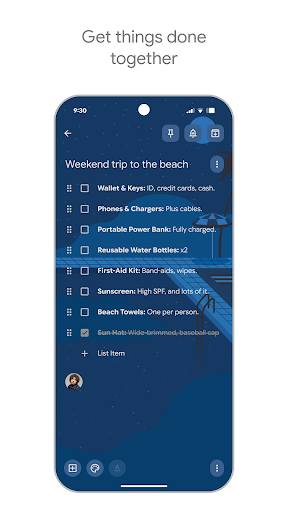
Reminders are the underrated half. Time-based ones fire when they should, and the location-based ones go off as you walk into the shop rather than later on the sofa. Sharing a note turns it into a live list two people can tick items off, which is how most households quietly end up using it. Sync needs no setup whatsoever, so a list started on a phone is already on the tablet by the time anyone picks it up.
The discipline of not adding things
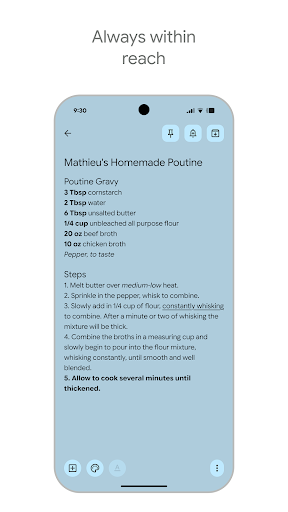
Most note apps grow until opening one feels like a decision about which mode you’re in. Keep never went that way, and the payoff is the shortest route on Android from thought to saved note. Checkboxes convert a note into a list with one tap. Photos and voice clips attach without ceremony. Everything stays findable partly because there isn’t much sitting there to search. Pinning holds the two or three notes that matter this week at the top, and the rest can drift down without anyone having to file them anywhere, which is the quiet reason people stick with it for years rather than tidying it into something else.
The ceiling, and how soon you meet it
Organisation stops at labels and colours, and that ceiling is lower than it first looks. Say you keep meeting notes for several clients, one label each. Before long the grid is a wall of coloured squares, labels overlap because plenty of notes belong under two of them, and there’s nothing to nest anything inside. Sorting runs by recency or not at all, so digging out an older note means scrolling and squinting at first lines. Plain text is the other hard stop, with no headings and no tables to lean on when a note grows past a few lines.
Keep isn’t a notebook and never claimed to be. Use it beside something heavier, as the place fleeting things land before they get acted on or forgotten, and it’s close to perfect at exactly that. Point it at work you intend to develop properly and it has nothing to offer you.
From the Play Store listing
These figures come from the official Google Play listing and can change at any time. Check the current listing.
- Play rating
- 4.7 out of 5
- Ratings
- 2,459,383
- Installs
- 1,000,000,000+
- Developer
- Google LLC
- Category
- Productivity
How those ratings split



