
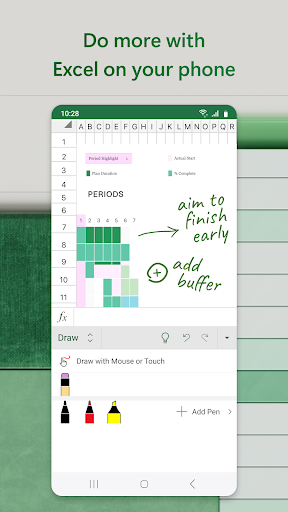
A workbook opened on a train
The attachment lands, the meeting is in an hour, and the figures need a look before then. That is the exact errand a spreadsheet app on a phone is for. The workbook came from somebody who knows exactly what it should look like, so the only acceptable outcome is that it opens intact, and it does.
Formulas that survive the trip
Function coverage here is the deepest available on a phone, so a sheet full of nested logic keeps calculating instead of degrading into stale values. Conditional formatting, filters and named ranges all come through the round trip unharmed, which is the quiet requirement sitting behind every other feature. Edit on the phone, open the same file back at the desk, and there’s no cleanup waiting for you. Pivot tables refresh, charts keep their formatting, and a workbook full of cross-sheet references doesn’t lose track of itself on the way through.
Asking Copilot for the chart
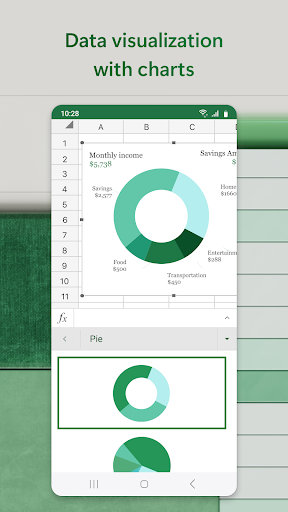
Copilot is the newer piece and it earns its keep on a small screen specifically. Describe the chart you want in a sentence and it builds one, which beats hunting through nested menus with a thumb. It will draft a formula from a plain description too. Neither trick replaces understanding the spreadsheet, but both remove the fiddliest part of doing this without a mouse.
Fingertips against a dense grid
The phone is the problem, and it’s the thing holding the score where it is. Selecting one cell out of a tight grid takes repeated attempts, and a long formula shows up in a single narrow strip, so you end up scrolling sideways through your own logic to find the bracket that’s in the wrong place. Adjusting a figure is fine. Building something from scratch turns into a fight with your own thumb. A tablet and a keyboard change that completely. The commercial ceiling is the other catch, since heavier work and some desktop capabilities sit inside a Microsoft 365 subscription and the boundary isn’t visible until you walk into it.
Read here, build somewhere else
For checking numbers, light entry and keeping a shared workbook moving, nothing else on Android matches this, and plenty of users never pay a penny for it. For anything more serious, budget for the subscription and find a bigger screen before you start. The Play listing spells out where the free tier stops.
From the Play Store listing
These figures come from the official Google Play listing and can change at any time. Check the current listing.
- Play rating
- 4.8 out of 5
- Ratings
- 9,197,551
- Installs
- 1,000,000,000+
- Developer
- Microsoft Corporation
- Category
- Productivity
How those ratings split



