
What does a free note app usually cost you?
Normally: a cap on how many notes you can keep, a fee for sync, an export button that doesn’t work, or a prompt to upgrade every time you open the thing. OneNote asks for none of that. A serious, properly structured note application is handed over with its core intact, and the catch, such as it is, has nothing to do with money.
Notebooks, sections, pages
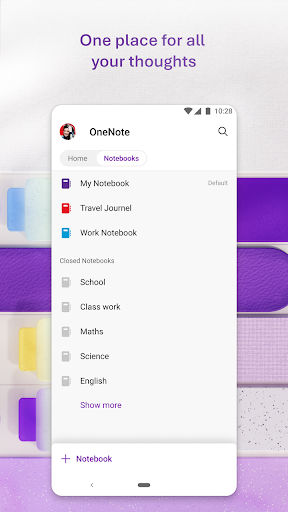
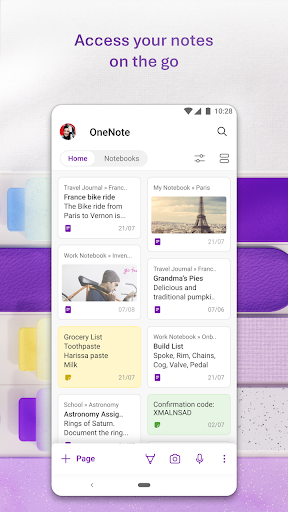
The hierarchy is the whole idea. Notebooks hold sections, sections hold pages, and a body of notes that would be an unmanageable scroll anywhere else stays navigable. A student can keep a notebook per subject and a section per term without inventing a tagging scheme. Sync through a Microsoft account is dependable across phone, tablet and computer, so a note taken in a meeting is waiting on the laptop by the time you sit back down at it. Sharing a notebook with a colleague or a study group is a permissions setting rather than a different product tier.
Ink that stays searchable
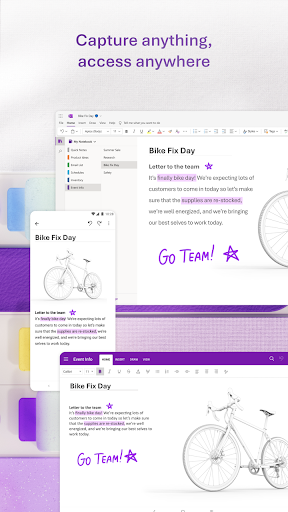
On hardware with a stylus this is the reason to pick it over anything else. Handwriting feels natural under the pen, strokes land where you put them, and the result stays text rather than turning into a picture of text, so a phone number scribbled in a margin is findable weeks later by searching for the digits. Pages take typing, ink, photos and attachments side by side, and search reaches into words inside images too. That’s what keeps a notebook useful once it has grown past the point where you remember what’s in it.
Ceremony for a one-line thought
The weight is the problem. You want to note a name before it slips, so you open the app, wait for it to load, pick a notebook, pick a section, open or create a page, and only then type the name. A dedicated scratchpad would have taken one tap. That gap is the reason so many people keep a second, lighter note app on the same phone, and it’s the clearest thing holding this back. The Android version also trails the desktop one on formatting, where some options behave differently or aren’t there.
Match the tool to the note
Notes that need structure, that accumulate, that you’ll come back to and search months later: this handles them better than almost anything else on Android, and it does it without asking for a subscription. Notes that are one line long and gone by evening belong somewhere else, and there’s no shame in running two apps. The mismatch isn’t really a flaw so much as a refusal to be two things at once.
From the Play Store listing
These figures come from the official Google Play listing and can change at any time. Check the current listing.
- Play rating
- 4.6 out of 5
- Ratings
- 1,482,186
- Installs
- 1,000,000,000+
- Developer
- Microsoft Corporation
- Category
- Productivity
How those ratings split



