
What are you actually being handed here?
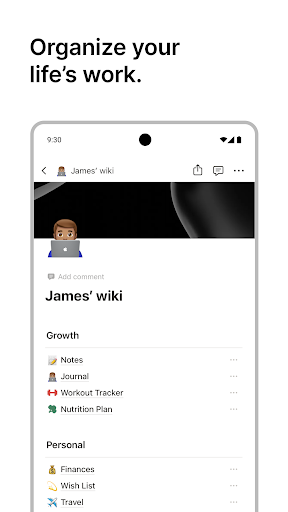
Not a notes app. A box of parts for building one. Pages, databases, wikis and boards are the same underlying material arranged differently, and what you get out the far end is exactly what you were willing to put in. For people who enjoy designing a system, that’s the appeal and there’s nothing else quite like it. For somebody who wanted to jot down a shopping list, it’s a wall.
Carrying a workspace in your pocket
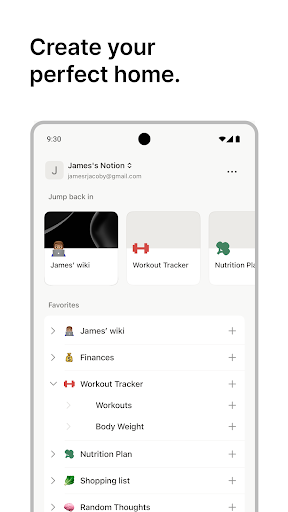
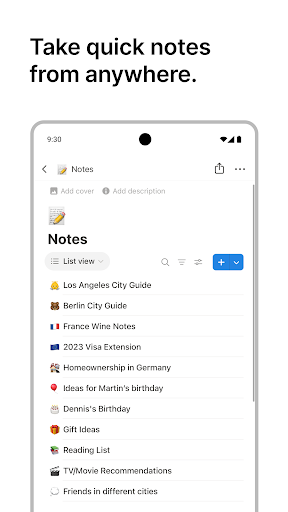
Everything you’ve built is there, and the text editing is good enough for real writing rather than quick capture alone. Reading a team wiki on the train, ticking items off a tracker, dropping a comment on somebody else’s page, all of it comfortable on a phone. Search reaches across the whole workspace, so a page you built months ago is one query away rather than a memory test.
The AI tools have turned out to be more than a sticker on the box. Summarising a page that’s grown too long, or drafting a section you’ve been avoiding, happens where the work already lives instead of in a separate tab, and that proximity is most of the value. The free tier is generous enough that one person can run an entire personal system on it without being nudged toward a plan, which is rarer in this category than it should be.
The empty page problem
Here’s how the learning curve actually bites. You sign up, you’re handed a near empty workspace and a vocabulary of unfamiliar concepts, and almost nothing steers you toward your first useful page. Plenty of people open the template gallery, feel the distance between those polished examples and their own blank screen, and quietly never return. The ones who push through spend a weekend learning the model before they get anything back, and that investment is the real cost of entry.
This is what the score hangs on, because it isn’t a bug anybody can patch out. The flexibility that makes the tool powerful is the same flexibility that leaves a newcomer with no obvious first move.
Brilliant at a desk, a companion on a phone
Anything structural belongs on a bigger screen. Creating a database, configuring a view, wrangling a layout, all of it slow and fiddly under a thumb, and you’ll abandon it and finish the job later anyway. Sync has trailed the web version too, and offline access exists without being dependable enough to trust when there’s no signal at all.
So the honest shape is this. If your work already lives in Notion, the phone app is a decent second window onto it, good for capture, reading and small edits between meetings. If you’re starting from nothing and hoping a phone will teach you the system, it won’t, and something simpler will serve you better until you know what the flexibility is for.
From the Play Store listing
These figures come from the official Google Play listing and can change at any time. Check the current listing.
- Play rating
- 4.6 out of 5
- Ratings
- 370,994
- Installs
- 10,000,000+
- Developer
- Notion Labs, Inc.
- Category
- Productivity
How those ratings split



