
Does a board beat a list?
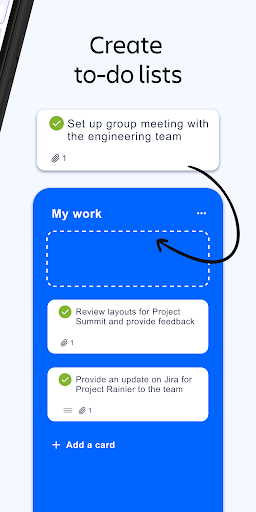
Is a column of cards really better than a list of tasks? For some people it obviously is, and that is the entire argument for Trello. The idea is old and has never needed changing: columns for stages, cards for the work, and you drag a card sideways when something moves on.
Columns, cards and a drag
Making a board takes seconds and making a card takes less. Checklists, due dates, labels, attachments and comments all live on the card, so opening a task shows its context instead of pointing you at three other places. The one gesture the system rests on is dragging a card into the next column, and it is satisfying enough that people keep the board current, which is the part most task tools fail at.
Living on a phone
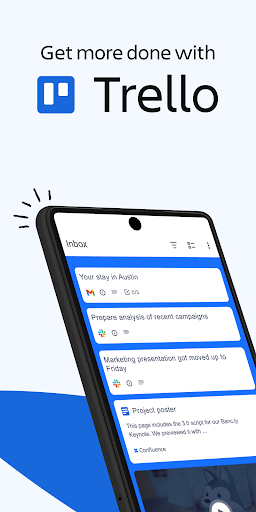
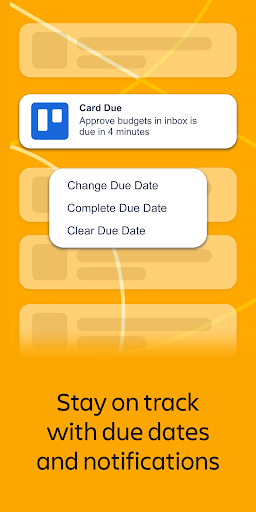
The Android app is a proper app rather than a squeezed copy of the website, which is not a given here. Sync is dependable, so a card you moved on a laptop is where you left it when you pick the phone up. Alerts for mentions and due dates arrive when they should and not at random.
Why a board actually gets used
There is almost nothing to learn. Somebody who has never seen it can be adding cards a minute after you send a link, with no walkthrough and no explaining what a workspace is. That matters more than any advanced feature, because the planning tool people open beats the powerful one they abandoned. The layout also makes the state of a project obvious from across the room, which a list never manages.
The tightening free tier
Ownership has shown up as steady gating. Automation rules and some of the board customisation used to be free and now sit on a paid plan, and anyone who has used it for a long stretch notices what quietly moved across the line. The free plan still covers a personal planner or a small shared board, so this is irritation rather than obstruction, though the direction of travel makes building anything you care about on it feel unwise.
Where the model runs out
The harder limit is the product itself. There are no real dependencies between cards, no timeline worth the name and effectively no reporting, so the moment a project has a deadline that hangs on three other deadlines, the board stops describing reality and starts flattering it. Teams reach that ceiling sooner than they expect and go looking at heavier tools. It is a boundary rather than a bug. Trello is superb at the size it was drawn for and simply the wrong shape above it.
From the Play Store listing
These figures come from the official Google Play listing and can change at any time. Check the current listing.
- Play rating
- 3.8 out of 5
- Ratings
- 122,284
- Installs
- 10,000,000+
- Developer
- Atlassian
- Category
- Productivity
How those ratings split



