
A weekend of photographs, all made to match
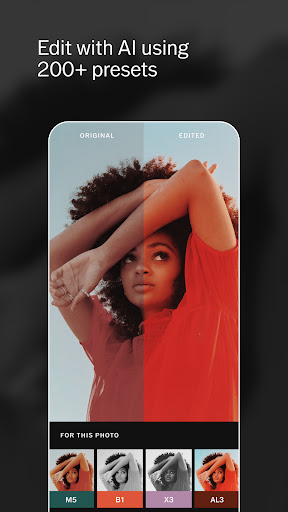
You get home from a few days away with a camera roll that needs to look like one set rather than a heap of separate moments, and that is the job this app was built around. Lay a preset across the lot, pull each one back where it shouts, and the pictures start reading as a body of work instead of twenty different moods. Film emulation done with restraint is what put the app on so many phones, and for that particular job it is still the tidiest way to work.
Working on a single frame
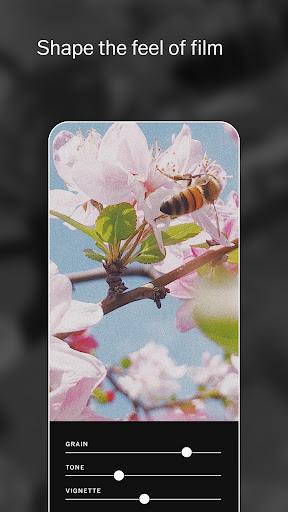
The editing surface is clean and the touch control is precise. Exposure, contrast, highlights, shadows, grain and skin tone are all adjustable without the screen filling up with sliders, and every change stays non-destructive, so a preset can be laid on, dialled back and lifted off again with the original untouched underneath. Recipes save a set of adjustments for reuse, which is how a personal look gets applied across a whole shoot rather than rebuilt frame by frame. Importing is quick and the app does not insist on taking custody of your library first, so one picture can come in, get worked on and go straight back out again.
The social side is unusual enough to mention. No likes, no follower counts on display, a quieter room than the places people normally post pictures. A certain kind of photographer prefers that a great deal.
Why the paywall lands where it hurts
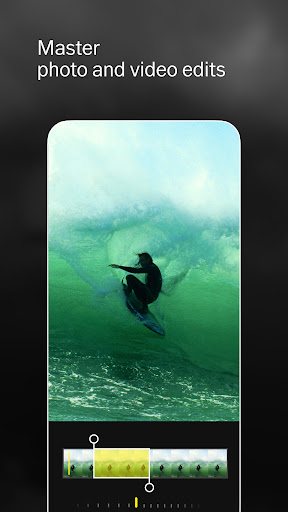
The free version hands you a few presets and the basic adjustments, enough to see what the app does and not enough to do it. The library that made the aesthetic, the finer tools and the video side all need the membership, and the sting is in the timing: you edit a set you are pleased with, reach for the preset that would finish it, and get a subscription screen instead. Paying every month for a look is a harder sell than paying every month for storage or a camera, and the free tools already sitting on the same phone have closed a lot of the distance. The quiet community never got dense enough to add a second reason on top, so the membership has to carry the whole case by itself.
Lovely craft, awkward sums
If presets are the reason you edit at all, this is still the nicest place to do it and the app is made with obvious care. If you are weighing it against what you already have for nothing, that comparison tends to go the other way, and the score reflects the bargain rather than the craft. Run the trial properly, on real photographs, and set yourself a reminder before it renews. The Play listing spells out what the membership includes.
From the Play Store listing
These figures come from the official Google Play listing and can change at any time. Check the current listing.
- Play rating
- 3.6 out of 5
- Ratings
- 1,326,571
- Installs
- 100,000,000+
- Developer
- VSCO
- Category
- Photography
How those ratings split